AI Message Goals, Inbox review progress, and refined unsubscribe attribution
Covering features released in November and December, this release helps you respond smarter, work faster, and gain clearer insights from your messaging.
Highlights
Stay outcome-focused with AI Message Goals
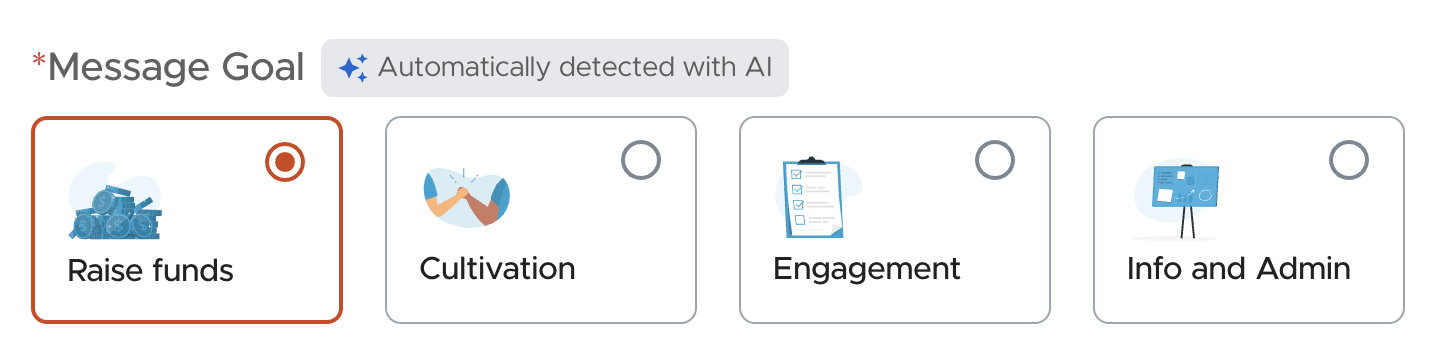
You can now set the Message Goal of each text, and the Performance Dashboard displays the goal alongside results for added context. Goals are detected and set automatically with the help of AI, keeping the create workflow simple — and you can always override the suggestion.
- Every outbound message now has a goal assigned
- AI analyzes message content during creation and suggests one of four goals: Raise Funds, Cultivation, Engagement, or Info and Admin
- Users can override the AI's suggestion at any time
- Goals appear during creation, setup confirmation, and on the Performance Dashboard
Inbox: dashboard review progress visualized
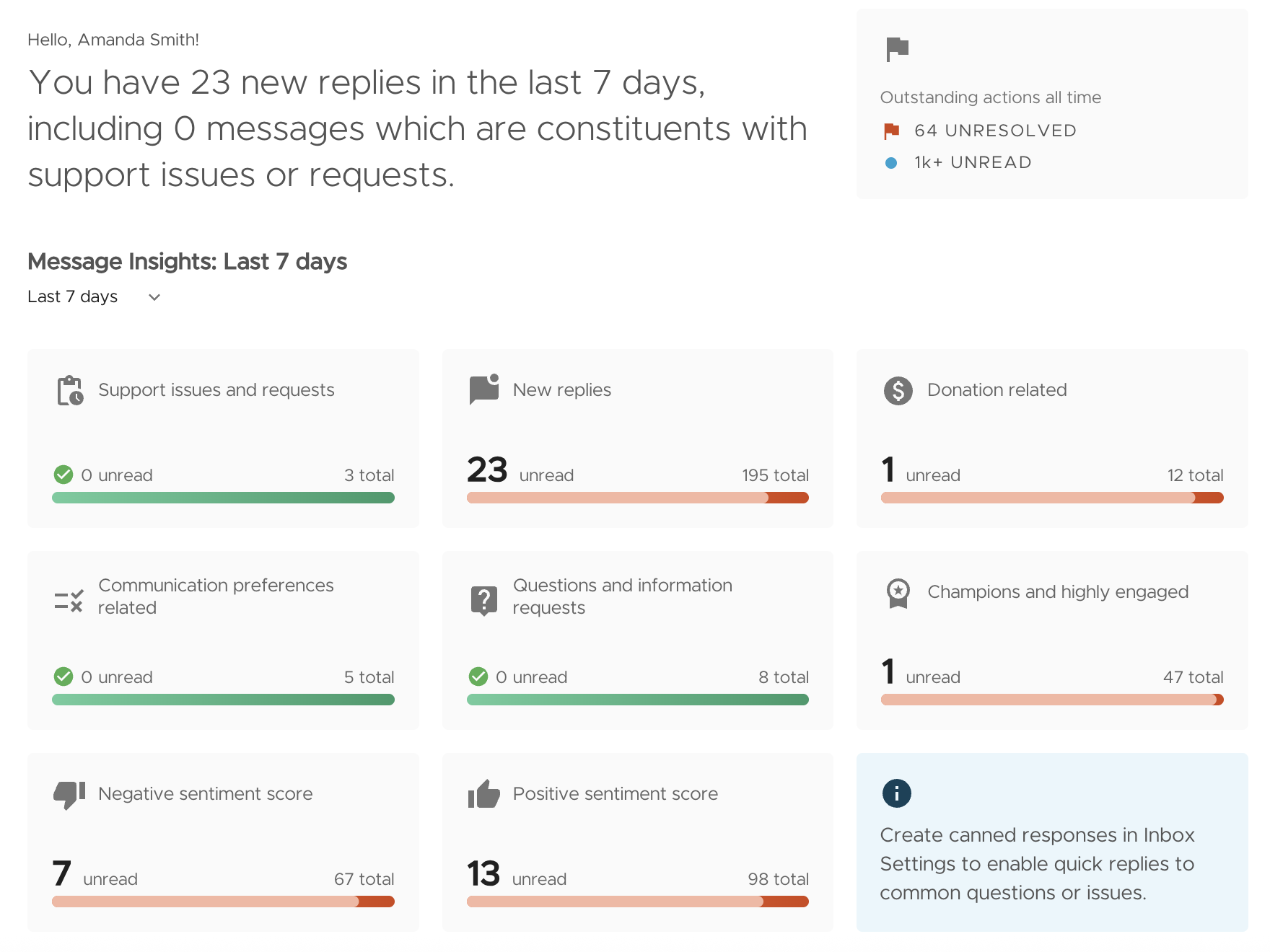
Instantly see your progress reviewing constituent replies with new achievement indicators in your Inbox Dashboard. Each tile now shows total replies, a read/unread progress bar, and categories complete. Clicking a tile shows all messages — read and unread — while still surfacing which replies still need review.
Refined unsubscribe attribution
We improved unsubscribe attribution to reduce misleading opt-out spikes and provide more precise engagement data. Unsubscribes are now attributed only when the subscriber texts an opt-out keyword or phrase and the last message they received was a broadcast. Unsubscribes are now also attributed to recurring messages created on or after Nov 4, 2025.
Other Updates
Inbox: redesigned message confirmation modal
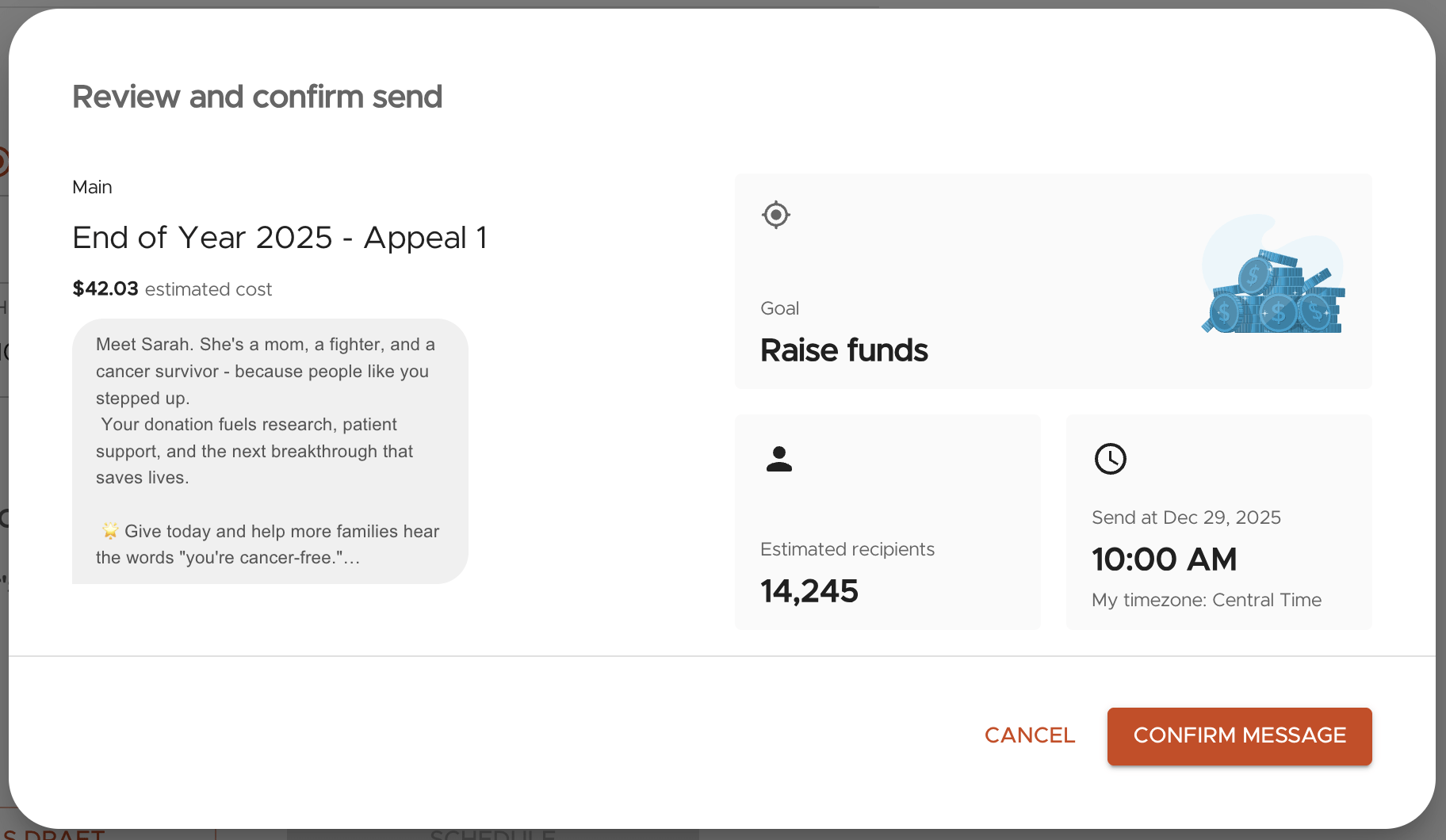
The message confirmation modal now shows additional configuration settings for a clearer review before sending — including the Message Goal, message name, and a preview — with a refreshed, more scannable UI.
Inbox: hide/unhide sensitive content
Protect your organization and staff by hiding sensitive content in Inbox. Replies can be hidden or unhidden with a click, and Inbox automatically detects and hides credit card information texted in by subscribers — an additional layer of protection that keeps sensitive financial data from being viewed or shared by staff who don't need access to it.

Integration: Blackbaud CRM (BBCRM) daily sync support
momoGood can now sync contact data from Blackbaud CRM using a flexible, file-based daily workflow that supports both on-prem and cloud-hosted environments. Organizations define their own export in BBCRM, deliver files to an SFTP destination, and Messaging Experiences automatically picks up the daily file to add or update subscribers — giving customers full control over their data pipeline.